Brand Photos for Event Planners
Your event, announced properly.
Upload your event logo, poster or save-the-date and we put it on real photos of newspapers, street posters, billboards and tote bags. Announcement content that makes it look like the event is already a big deal.
Make your first one freeOne tap with Google. No card.
The event is months away. The posts start now.
You're selling something that hasn't happened yet. There are no photos from the night, just a date, a venue and a flat graphic. That's a hard thing to build excitement around for six weeks of posts.
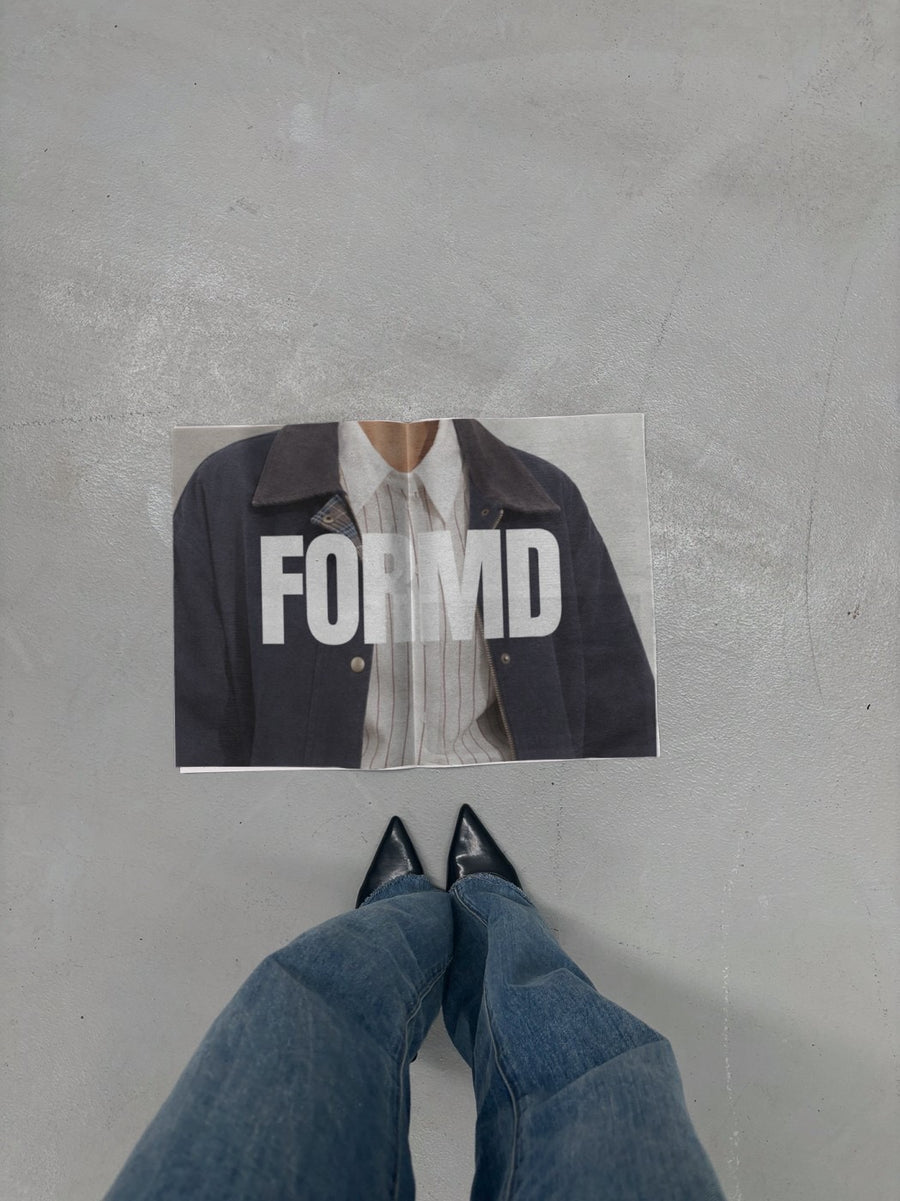
Your poster pasted on a city wall, or your save-the-date on a newspaper next to a pair of black heels, makes it feel like people are already talking about it. The announcement, the early bird, the speaker reveal and the final call each get their own look.
It works for clients too. Show a couple their save-the-date on a newspaper, or a corporate client their conference branding on a tote, before anything goes to print.
From first announcement to last ticket
- The first announcement: event name on a New York billboard
- Save-the-date on a newspaper on concrete next to black heels
- Speaker or lineup reveal on a street poster
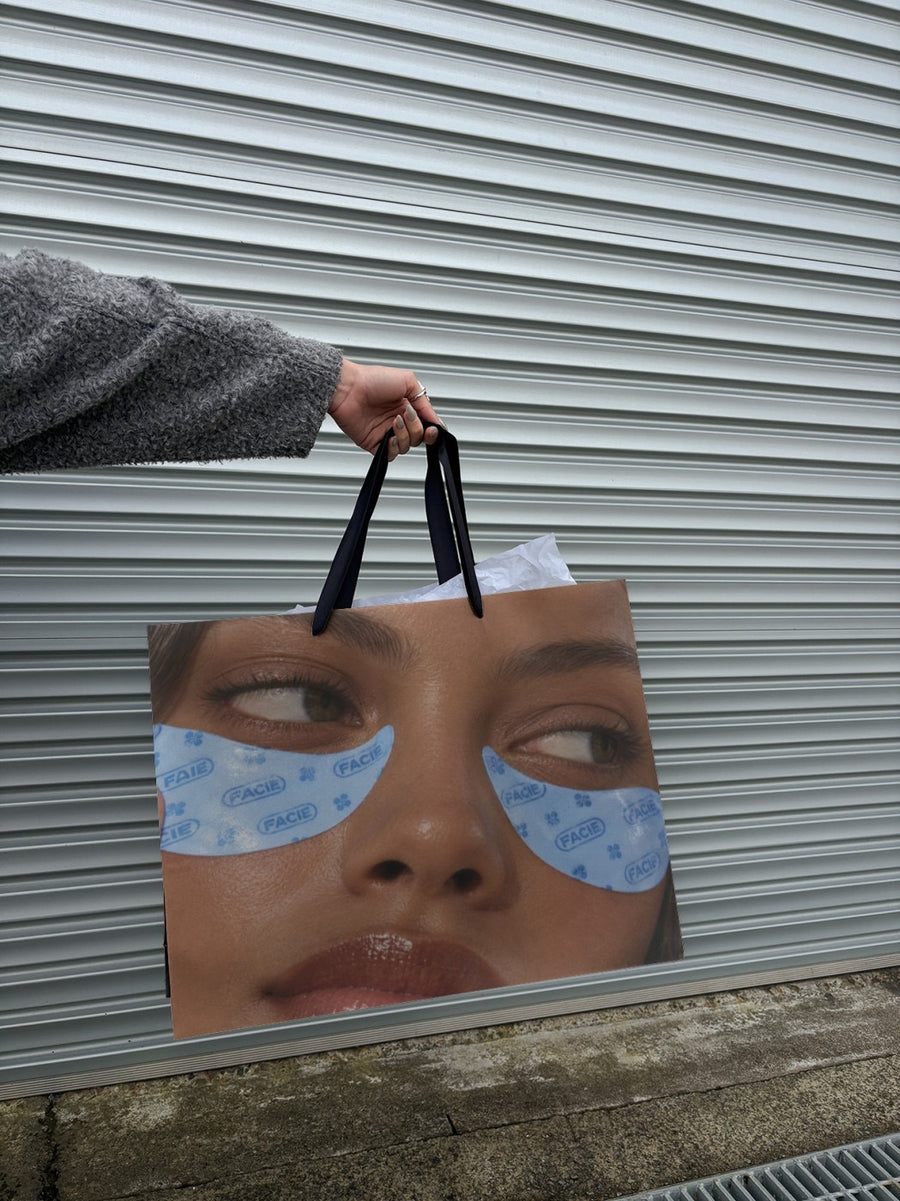
- Conference totes and gift bags, before you order the run
- Last tickets: the event poster on a subway billboard
- Client sign-off: their branding on a real photo in your proposal
Captions to start with
Save the date. 14 March. Details soon.
Speakers are locked in. Early bird closes Friday.
Fifty tickets left. Don't be the one who hears about it after.
Photos that suit you
- On a newspaper: for save-the-dates and big news.
- On a street poster: for announcements and lineup reveals.
- On a tote bag: see the gift bag before it's printed.
- On a billboard: for the first big announcement.
How it works
- Add your image. A logo, poster, product shot or full campaign. PNG or JPG.
- Tap a photo. Your design goes on in seconds.
- Download it. A 2000px image, ready to post.
Real photos. Not AI.
Every photo is a real photograph, shot on a real camera. Your design goes on exactly as it is. Nothing gets redrawn, so it's still your brand.
Questions
Do I need Photoshop?
No. It all happens in your browser.
Is it really free?
Your first one is free when you make an account. After that, top up credits inside the studio. No subscription.
Can I show a client their branding before it's printed?
Yes. Upload their logo or artwork and download a 2000px JPG to drop into your proposal or email. Tap Adjust to rotate or fit it. Adjusting is free, so get it right before you send.

