Coming Soon Post Ideas
Something's coming. Let them wonder.
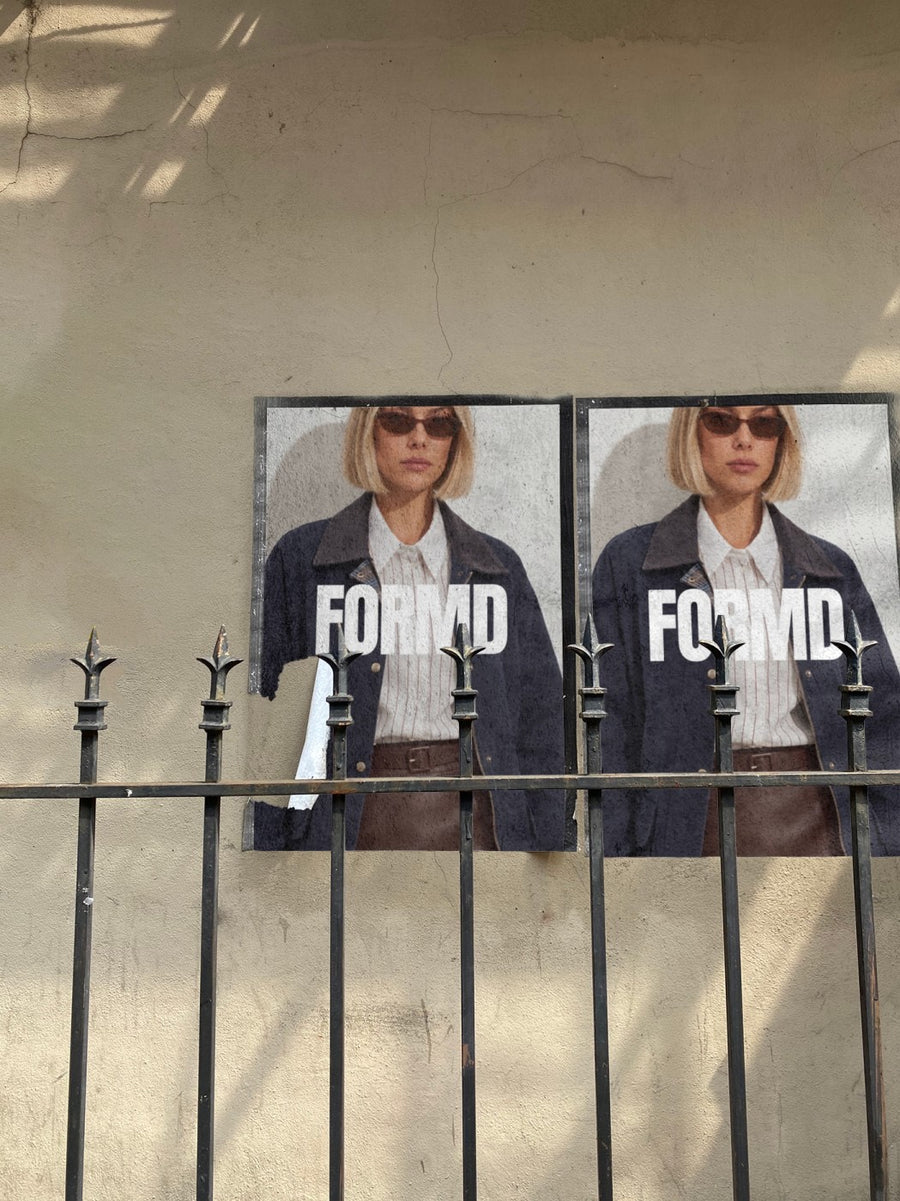
The weeks before a launch are when people decide if they care. A coming soon post should show just enough to start a conversation and hold the rest back. Your logo on a real billboard or street poster makes something small feel like it's about to be everywhere.
Make your first one freeOne tap with Google. No card.
A teaser works because of what you leave out.
Coming soon posts fail when they explain too much or show too little to be interesting. The sweet spot is one strong image, one short line and a date. Enough to be curious about, not enough to be done with.
You often don't have product photos yet, and that's fine. Your logo on posters pasted on a city wall, or a subway billboard, gives you something to post before anything is ready. It looks like the world is getting ready for you.
Build in steps. A shadow of the logo, then the name, then the date. Use the same photo each time so people learn to recognise it.
Coming soon post ideas
- The mystery poster: a cropped part of your logo on the street poster, no caption but a date
- Two posters, one wall: the name on one, the date on the other
- The countdown: the same billboard photo each day with the number of days left
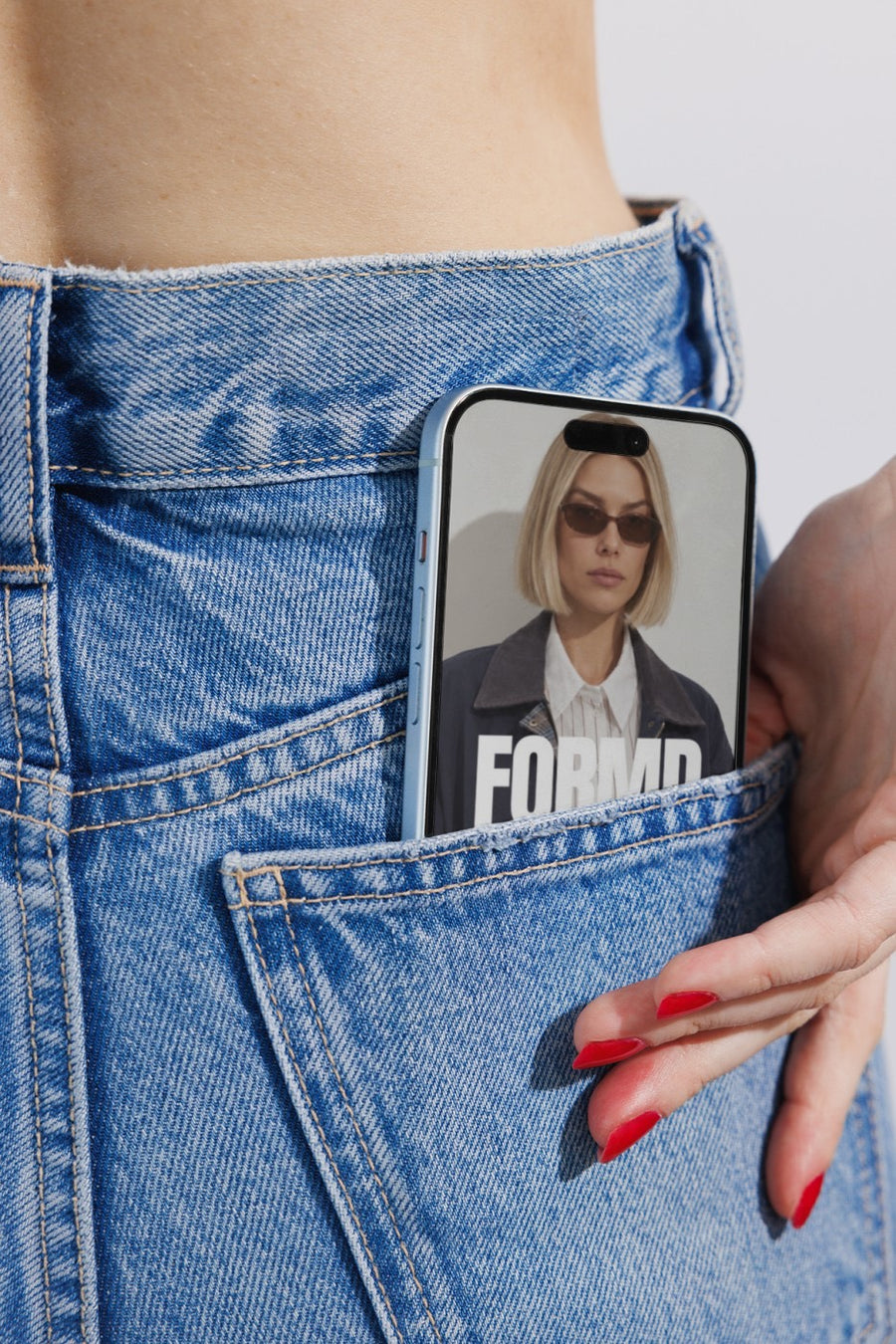
- A sneak peek on a phone: your site or launch page on a real iPhone in a jeans pocket
- Join the list: the teaser image with a clear link to sign up for launch day
Captions to start with
Not yet. But soon.
Mark the date. That's all we're saying.
You'll want to be first for this one. Link in bio.
Photos that suit you
- On a street poster: the classic teaser look, pasted on a wall.
- On a billboard: for the countdown and the big day.
- On a phone: a sneak peek of your site on a real phone.
- On a laptop: show the waitlist page on a real screen.
How it works
- Add your image. A logo, poster, product shot or full campaign. PNG or JPG.
- Tap a photo. Your design goes on in seconds.
- Download it. A 2000px image, ready to post.
Real photos. Not AI.
Every photo is a real photograph, shot on a real camera. Your design goes on exactly as it is. Nothing gets redrawn, so it's still your brand.
Questions
Do I need Photoshop?
No. It all happens in your browser.
Is it really free?
Your first one is free when you make an account. After that, top up credits inside the studio. No subscription.
Can I use a cropped or blurred version of my logo?
Yes. Crop or blur it however you like, save it as a PNG or JPG and upload it. It goes on exactly as you made it, so the teaser stays a teaser.

