Award Win Announcement Ideas
Award announcement posts, that do the win justice.
Won an award or made a finalist list? Upload your logo or the badge you were sent and we put it on real photos of newspapers, billboards and street posters.
Make your first one freeOne tap with Google. No card.
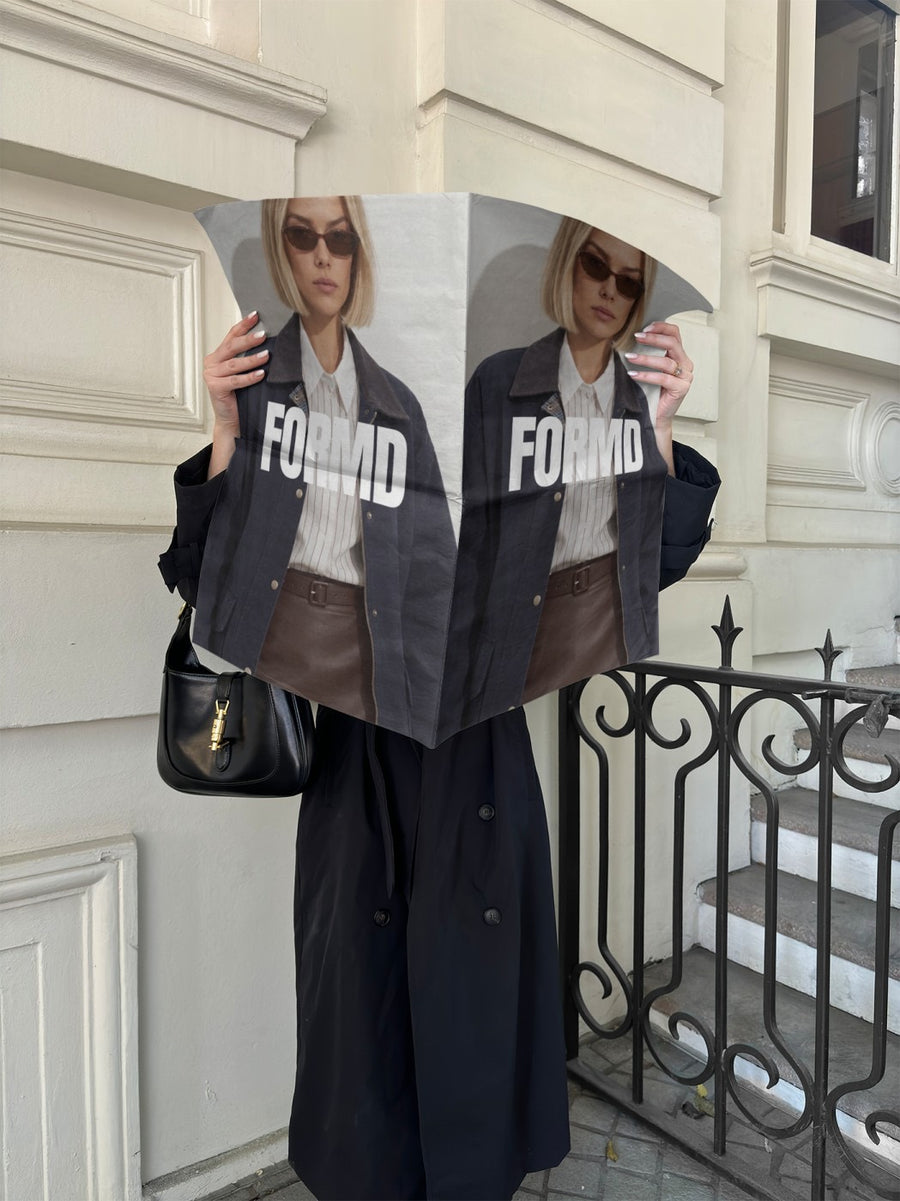
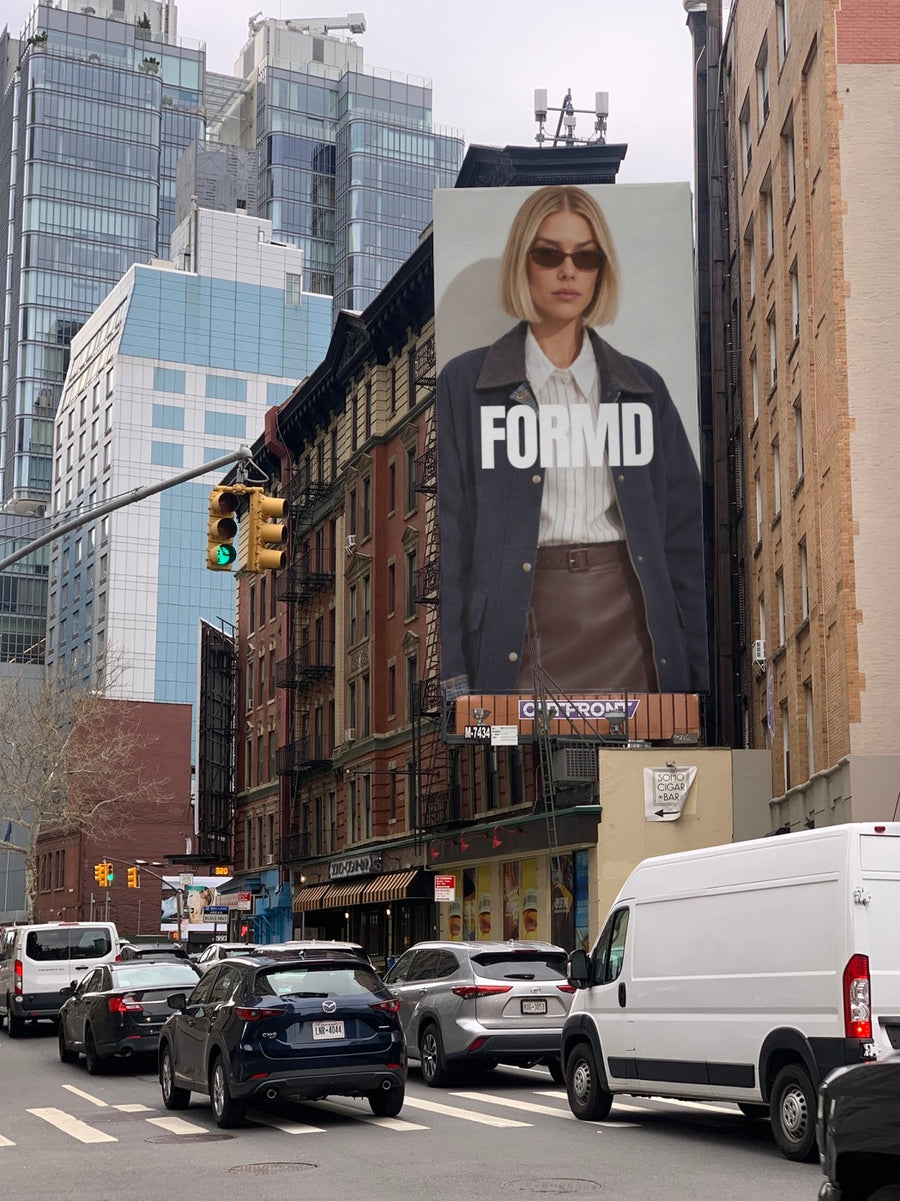
You earned it. Say it properly.
Small business awards, local best of lists and industry finals are worth sharing. A screenshot of the email doesn't do it justice.
Your logo on a newspaper held up on the street has the feel of good news. On a billboard it reads like a celebration. It's a look, so keep the words about your real win.
Thank your customers and team in the caption. That's the part people share.
Ideas for your next few posts
- Finalist announcement on a newspaper
- The win itself on a billboard
- A thank you to customers on a street poster
- A team post with your logo front and centre
- Your award badge on your website, shown on a laptop
Captions to start with
We made the finalist list. Thank you to everyone who voted.
We won. Every one of you is part of this.
Still can't quite believe it. Thank you.
Photos that suit you
- On a newspaper: the good news look.
- On a billboard: for the big moment.
- On a street poster: for a thank you to your customers.
- On a laptop: show the badge on your website.
How it works
- Add your image. A logo, poster, product shot or full campaign. PNG or JPG.
- Tap a photo. Your design goes on in seconds.
- Download it. A 2000px image, ready to post.
Real photos. Not AI.
Every photo is a real photograph, shot on a real camera. Your design goes on exactly as it is. Nothing gets redrawn, so it's still your brand.
Questions
Do I need Photoshop?
No. It all happens in your browser.
Is it really free?
Your first one is free when you make an account. After that, top up credits inside the studio. No subscription.
Can I use the badge the organisers sent?
If the organisers say you can use it, yes. Any PNG or JPG works and it goes on exactly as it is. Tap Adjust to rotate or fit it. Changes are free.

